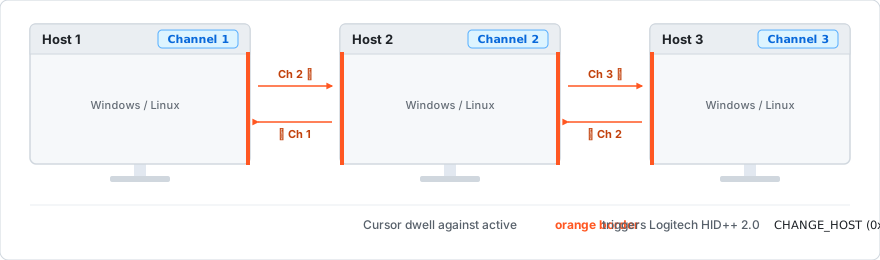
Lunifier transfers your Logitech peripherals simultaneously when the cursor dwells against any configured screen edge:
⚡ Zero LAN / Wi-Fi Dependency
Operates autonomously on each host over direct Bluetooth, Logi Bolt, and Unifying receivers. Works seamlessly across VPNs, guest networks, and corporate firewalls.
🎛️ Logitech HID++ 2.0 Feature 0x1814
Transmits hardware CHANGE_HOST commands directly to all connected Easy-Switch keyboards and mice simultaneously for sub-second switching.
🖥️ Multi-Border Screen Routing
Independently route Left, Right, Top, or Bottom screen edges to distinct channels (Channel 1, 2, or 3) to coordinate 2-PC or 3-PC desk setups.
🐧🪟 Cross-Platform Parity (Linux & Windows)
Full parity with system tray controls, configuration GUI, background services (systemd / Windows startup), and optional Bluetooth RFCOMM entry alignment.